STEP LEVEL Consulting is a small but growing US based consultancy that runs its day to day collaboration on Microsoft Teams. As the firm scaled, routine HR questions about leave, reimbursements, benefits and policy interpretation began to consume disproportionate amounts of HR time. STEP LEVEL wanted an unobtrusive, secure way to give employees instant answers inside the apps they already use so the HR team could focus on hiring, people programs and culture rather than repetitive triage.

STEP LEVEL Cuts HR Query Workload by 78%
and reclaims 1,000 Hours/Year with “HR Buddy” - a Microsoft Copilot Studio Assistant in Teams
Company Brief
Overview
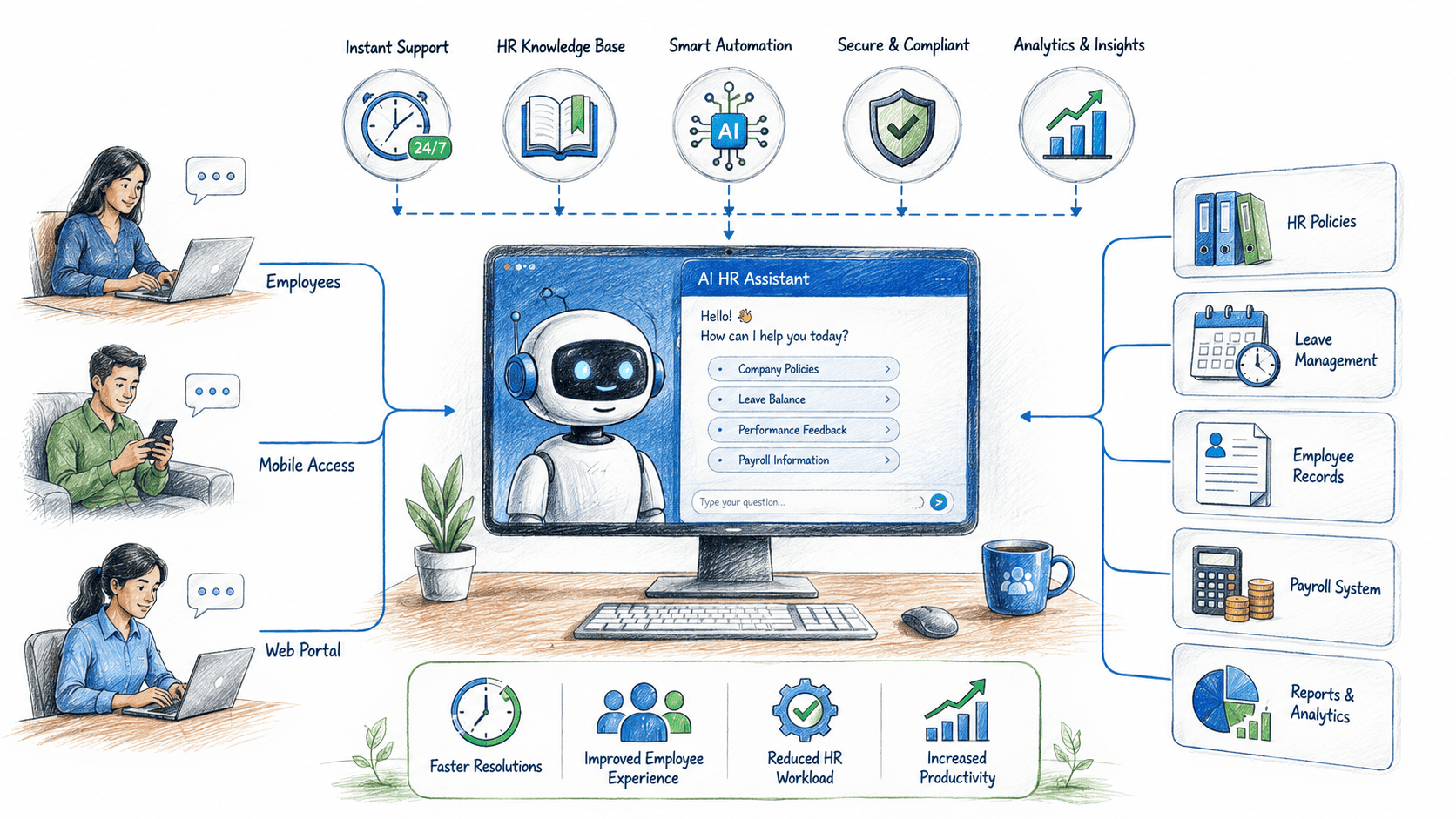
We designed HR Buddy, an AI assistant built in Microsoft Copilot Studio, integrated directly into Teams and connected to STEP LEVEL’s HRMS. HR Buddy’s purpose was simple: deliver reliable, policy aligned answers inside Teams, reduce repeated queries, and provide a faithful hand off to HR when an issue required human judgement. The deployment included a curated knowledge base, real time HRMS lookups (leave balances, reimbursement status), escalation rules, and usage analytics for ongoing tuning.
The assistant was engineered through enterprise software development practices, delivering policy aligned answers in real time, reducing repeat queries, and seamlessly escalating complex cases to HR professionals when human judgment was required.
In production, the assistant became the default first stop for routine enquiries. The result was measurable operational relief for HR, faster answers for employees, and a clearer audit trail for compliance and reporting.
- Sector: Human Resources / Enterprise Solutions
- Project Type: AI Chatbot Development & Process Automation
- Platform: Microsoft Copilot Studio | Microsoft Teams | HRMS Integration
Root cause analysis - why the problem existed
- High volume of low complexity queries – Employees routinely asked the same handful of operational questions (how many leave days remain, expense receipt rules, which benefits apply), creating repetitive, predictable workload for HR staff.
- Fragmented access to HR information – Policy documents, payroll screens, and leave balances lived in different systems or drives. Employees often asked HR to locate or interpret information that could have been surfaced automatically.
- Context-free responses increased follow ups – Without quick, contextual answers (e.g., “your remaining PTO this year”), employees sent follow ups that lengthened the cycle and multiplied HR effort.
- Manual reply patterns consumed HR time – HR replies required copying policy text, extracting employee specific data from the HRMS, and formatting responses tasks that scale poorly as headcount grows.
- Low automation adoption due to poor UX – Existing self-service portals were disconnected from everyday collaboration tools (Teams), so employees defaulted to chat or email rather than using built in help resources.
The solution - HR Buddy (what we built)
- Copilot Studio assistant embedded in Microsoft Team – HR Buddy lives as a chat + command box in Teams. Employees type natural questions (or use quick “Ask HR Buddy” buttons) and receive immediate responses.
- Connected to the HRMS for live, personalized answers – Through a secure Azure API layer, the assistant checks leave balances, reimbursement claim status, and employee specific entitlements (after authentication), returning contextual replies (e.g., “You have 8.5 PTO days remaining”).
- Policy knowledge base with curated, human reviewed content – We ingested official policy documents, FAQs, and sample templates into a governance controlled knowledge store; ensures consistent, compliant answers across all HR touchpoints, improving quality assurance in communication.
- Confidence scoring and graceful escalation – Each reply carries an internal confidence score. Low confidence queries trigger an escalation workflow to HR with the conversation history and suggested draft replies to accelerate human response.
- Actionable templates and one click tasks– HR Buddy surfaces links and shortcuts: file an expense claim, request leave, view pay slips or open a ticket reducing multi step navigation.
- Privacy first design and audit trail – All interactions are logged (with PII protections) so HR can see usage trends, audit decisions and ensure compliance with data policies.
- Admin console & analytic – HR managers receive a dashboard showing top questions, unanswered items, confidence trends, and a training queue to refine the assistant’s answers over time.
- Change management & training – We ran short rollout workshops and created a “how to ask” cheat sheet to encourage adoption and shape effective prompts for employees.
Measured impact
- Manual HR effort on routine queries cut by 78% – HR time previously spent replying to recurring questions dropped dramatically as HR Buddy answered the bulk of routine interactions.
- Average first response time improved from 5.8 hours to 9 minutes – Fast answers reduced follow ups, confusion and the number of opened tickets.
- Annual hours reclaimed 1,000 (0.48 FTE) – Based on STEP LEVEL’s workload profile, HR Buddy freed roughly one thousand hours yearly that HR redeployed toward recruiting, onboarding improvements and people programs.
- Repeat question volume fell by 72% – FAQs that used to generate multiple identical tickets per month became single, resolved interactions via the assistant.
- Employee satisfaction with HR access increased 31% (internal pulse) – Post launch surveys showed employees valued instant access and the clarity of policy explanations.
- Escalation effectiveness improved – When HR needed to intervene, escalations arrived with full context and suggested drafts, cutting follow up handling time by 45%.
- Policy accuracy and consistency improved – Because all answers came from an HR vetted knowledge base (with version control), inconsistent replies and misinterpretations declined noticeably.
- Payback and operational ROI – Considering the value of reclaimed HR hours and the incremental productivity benefits, STEP LEVEL observed a breakeven on implementation costs inside 6–9 months; ongoing benefit continued to accumulate as the assistant learned, and coverage broadened.
Implementation notes & best practices learned
- Start with high-frequency, low risk answers – Launching with leave, expense and pay queries generated immediate value and limited exposure. After stable performance, expand to benefits and policy nuance.
- Human in the loop is essential at launch – HR reviewed all initial replies and handled low confidence items until the assistant learned the organization specific language and edge cases.
- Protect privacy and control scope – Limit the assistant’s PII access by role-based scopes and ensure audit logs are available for compliance reviews.
- Use analytics to drive continuous improvement – Weekly review of the top 20 unanswered questions supplied clear training signals for the knowledge base.
- Promote the assistant inside existing workflows – Embedding “Ask HR Buddy” cards in onboarding channels and team templates accelerated adoption.
Conclusion
For STEP LEVEL, HR Buddy turned a steady stream of small interruptions into an automated, accurate first line of support restoring hundreds of hours a year to the HR function and giving employees instant, consistent answers. Built on Microsoft Copilot Studio and integrated with Teams and the HRMS, HR Buddy demonstrated how a small, targeted AI assistant can generate outsized operational value: faster response times, fewer repeat queries, improved policy consistency, and more strategic time for people teams.
Client Says
The demo has proved to be a powerful tool in investor meetings, garnering encouraging reactions. Ansi ByteCode excelled at collaboration, responding quickly and integrating all requested changes.

Greg Foster
GM & Founder of Vizen Analytics LLCAcross all of their projects, Ansi ByteCode has helped to realize efficiencies in processes and technologies, as well as increase ROI. Their flexibility and willingness to go above and beyond project scope sets them apart from other offshore vendors.

Andrew Martins
Former Executive, Manufacturing CompanyAnsi ByteCode has been conscientious and reliable since our initial project 4 years ago. They do not over promise or under deliver. We continue to work with them and will for some time.

Eddie Allen
Co-Owner with my wife Lori Allen at BBL Systems, IncAnsi ByteCode is reliable and diligent software development company. They can project manage themselves and ultimately create the software as the design requirements are given to them.

Jonathan Spence
Chief Executive Officer at XtractaI really enjoy working with this company. They follow up regularly on developments and they work well. We don't have to explain 50 times for them to understand the idea of development.

Cdric Boivin
Président - CEO at Secure ExchangesAnsi ByteCode LLP successfully reached its goal. The project management was professional and structured. Their team was very good at listening to the customer.

Christoffer Stub Michelsen
CEO, StubTEC

