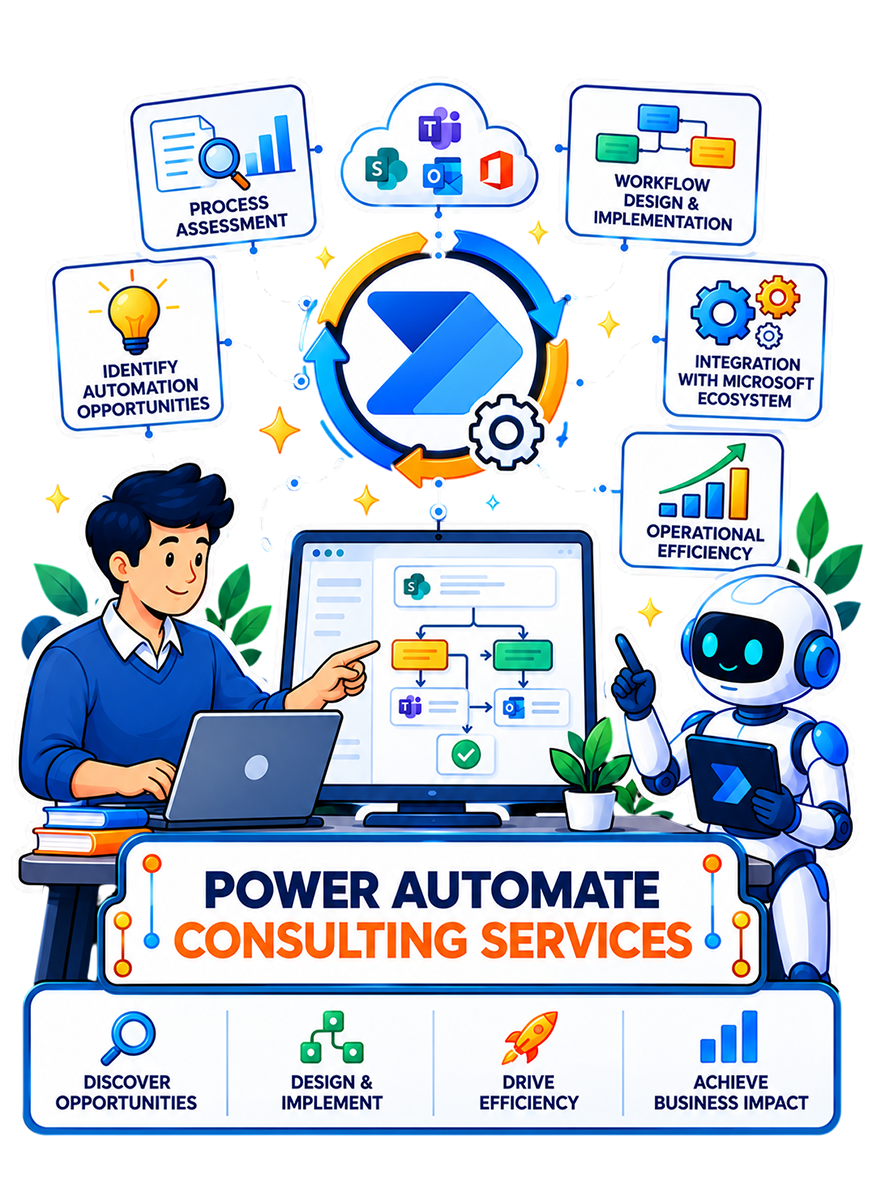
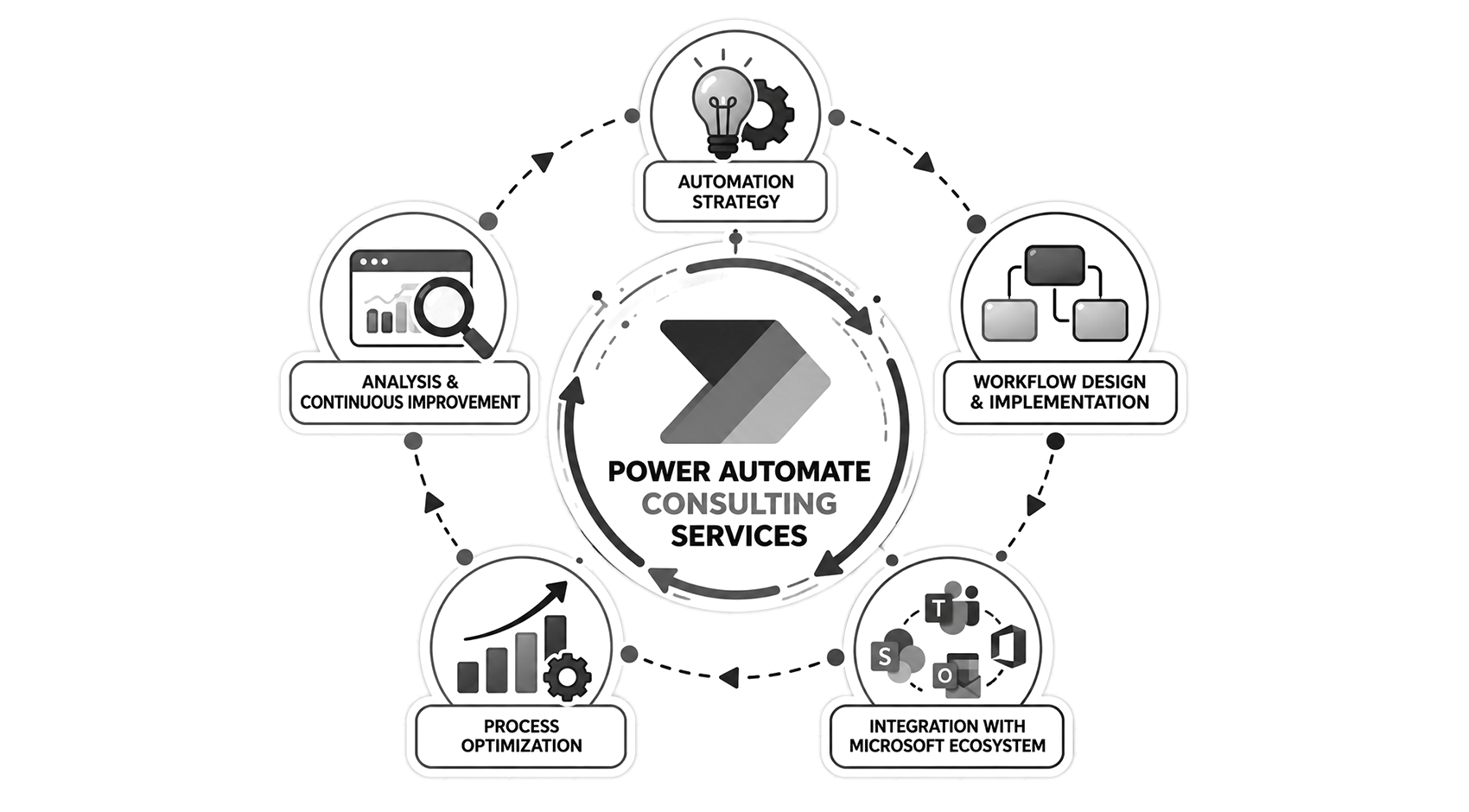
Power Automate Consulting Services

Build Power Automate workflows that connect your systems,
reduce manual work, and keep business processes moving.

Many organizations have Power Automate through Microsoft 365, but staff-built flows in personal environments often lack an owner, error handling, and failure alerts. When they stop, work can stall unnoticed.

That is where Ansi ByteCode LLP’s Power Automate consulting services help. We identify processes, build cloud flows and desktop RPA, connect systems, and establish support for global enterprises. We bring 12+ years of enterprise software experience and hold Microsoft Solutions Partner designations for Data & AI, Infrastructure (Azure), and Digital & App Innovation (Azure).
+
Years in AI & Software Development
+
AI & Software Projects Delivered
+
Certified AI & Technology Experts
%
Client Retention Rate

Power Automate Consulting Services for End-to-End Workflow Automation

From assessing opportunities to supporting live workflows, our Power Automate consultants help you build automation that fits existing systems and remains manageable as usage grows.

Power Automate Consulting and Automation Assessment

We map the current process, including handoffs and exceptions, before deciding what to automate. We rank opportunities by volume, manual effort, error rates, and business value, then recommend licensing and a phased roadmap. This gives Microsoft 365 teams a practical starting point without committing to every idea at once.

Cloud Flow Design and Development

We build automated, instant, scheduled, and approval flows with standard as well as premium connectors. Multi-stage approvals can route decisions, escalate delays, delegate tasks, and run actions in parallel. Conditional paths, retries, and run-after rules help transactions continue or fail visibly when a connected service does not respond.

Robotic Process Automation With Power Automate Desktop

When an application has no suitable API, desktop RPA can handle the work through its interface. Our team configures resilient UI selectors, machines, gateways, schedules, and secure credential handling. RPA is used where necessary rather than as a substitute for a more reliable integration.

Power Automate Integration Services

We connect Power Automate to Dynamics 365, SharePoint, SQL Server, Salesforce, SAP, NetSuite, and QuickBooks so work can move between existing systems. Depending on the integration, we use standard connectors, build custom connectors over APIs, configure on-premises gateways, or incorporate Azure Logic Apps.

Document Processing and AI Builder Automation

We use AI Builder to process invoices, purchase orders, and forms, training document models on your own examples. Confidence thresholds send uncertain extractions for human review before approved data reaches finance or ERP systems. This reduces repetitive entry while keeping people involved where accuracy needs checking.

Legacy Workflow Migration and Modernization

We modernize workflows built with SharePoint 2010 or 2013, InfoPath, Nintex, and aging scheduled scripts. Our team inventories and rationalizes existing workflows, rebuilds the required business logic in Power Automate, validates the new solution through parallel testing, and manages user cutover.

Process Mining and Automation Opportunity Discovery

Process and task mining show where work slows down before you invest in automation. Using Process Advisor, we analyze event logs and process variants to find delays, rework, and exceptions. The result is a ranked backlog based on observed work, rather than assumptions about where time goes.

Power Automate Governance and Environment Setup

We set up development, test, and production environments with data loss prevention policies, connector classifications, and clear naming and ownership rules. The Center of Excellence Starter Kit can support oversight, while Azure DevOps or GitHub pipelines help move approved changes into production consistently.

Managed Support, Monitoring and Optimization

We monitor flow runs and failure rates after launch, alert owners when unattended flows stop, and repair connections affected by tenant or vendor changes. We also manage enhancements and review licensing and capacity as usage grows, so production workflows remain reliable and economical to operate.

Let Automation Handle the Repetitive Work

Identify opportunities for automation and build Power Automate solutions that remove bottlenecks from everyday business processes.

Industries We Serve

We build Power Automate workflows around the systems and controls each industry relies on, from regulated records and approvals to orders, shipments, and supplier operations.

Healthcare

Connect patient intake, referral routing, credentialing, and claims workflows. Process prior authorization documents with access and privacy controls designed around healthcare records and HIPAA requirements.

Finance and Banking

Route loan and credit approvals, extract KYC documents, and reconcile data across banking systems. Record decisions and exceptions in a way that supports audit review.

Retail and Ecommerce

Route order exceptions, vendor compliance checks, and promotion approvals. Send stock alerts to the people responsible before availability issues affect customers or fulfillment.

Insurance

Streamline claims intake, underwriting approvals, policy renewals, and document handling. Desktop RPA can extend automation to legacy policy systems without suitable APIs.

Manufacturing

Connect purchase orders, goods receipts, quality inspections, and maintenance requests. Route supplier onboarding between ERP systems and document storage so teams can resolve exceptions sooner.

Logistics and Supply Chain

Capture and file proof of delivery, flag shipment exceptions, and match carrier invoices. Share status updates between transport systems, service teams, and customers.

Business Outcomes You Can Expect From Power Automate

The results depend on the process and how it is designed. For suitable workflows, Power Automate can reduce repetitive work, delays, errors, and support gaps.

Hours Returned to the Team

When routine data entry and status updates run automatically, finance, operations, and service teams spend fewer hours on administration and more time resolving exceptions or helping customers.

Fewer Errors in Transactional Work

Moving information between connected systems removes repeated typing, reducing mismatched records and the rework required when errors reach invoicing, reporting, or customer service.

Faster Approval Cycle Times

Requests reach the right approver automatically, with reminders and escalation when decisions stall. Teams spend less time chasing email threads, and decisions are recorded sooner.

Lower Cost per Transaction Processed

For repeatable, high-volume work, fewer manual steps can lower the effort and cost per transaction. Savings grow with volume when automation capacity and licensing remain appropriate.

Audit-Ready Records of Every Automated Step

Configured run histories and approval records show what happened, who made a decision, and when. Finance and compliance teams can use that evidence during reviews and investigations.

Automations That Keep Running After Handover

Defined owners, failure alerts, and documentation make it easier to spot and fix broken flows. Teams can maintain automations after the original builder or requester moves on.

Our Power Automate Implementation Process

Our Microsoft Power Automate consulting process starts with the work your teams perform today and ends with a monitored solution they can own. Each step is adapted to the systems and risks involved.

Step 1: Discovery and Process Assessment

We speak with process owners and the people doing the work to map tasks, handoffs, exceptions, and system dependencies. This shows where automation will help and where the process first needs clarification.

Step 2: Automation Prioritization and Business Case

We compare candidates by transaction volume, manual effort, error exposure, and implementation complexity. Using available baseline data, we estimate potential savings or risk reduction and agree which workflows justify development first.

Step 3: Solution Design and Environment Architecture

We define how the flow will work, move data, handle access, and connect systems. Before development, we confirm environment design, connector and infrastructure needs, expected capacity, and the relevant Microsoft licensing.

Step 4: Flow Development and System Integration

We build the approved cloud or desktop flows and connect the required systems through connectors, APIs, or gateways. Reusable components and documented standards keep related workflows consistent and easier to maintain.

Step 5: Error Handling, Testing and User Acceptance

We test routine cases, exceptions, permissions, and failures with the people who will use the workflow. Retry rules, alerts, and logging make problems visible; user acceptance confirms that the solution meets operational needs.

Step 6: Deployment and Monitoring

After approval, we deploy to production with named owners, monitoring, and failure alerts in place. We document the workflow, record the release, and show internal teams how to support it after launch.

Industry Recognition

Why Businesses Choose Ansi ByteCode LLP for Power Automate Consulting Services

Building a flow is only part of the job. Ansi ByteCode combines process analysis, Microsoft engineering, integration, and ongoing support to help US enterprises run automation reliably across existing systems and teams.

Microsoft Solutions Partner

Our Microsoft Solutions Partner designations cover Data & AI, Infrastructure (Azure), and Digital & App Innovation (Azure), bringing relevant Microsoft expertise to automation and integration projects.

Automation Built to Survive Handover

We document each production flow, assign ownership, and configure error handling and failure alerts. Your team can maintain it when the original requester or builder moves on.

Pro Code Where Low Code Runs Out

When standard connectors cannot meet a requirement, our engineers can build custom connectors, Azure Functions, and PCF controls to extend the solution without forcing an awkward workaround.

Full Microsoft Stack Ownership

We work across Azure, Dataverse, SharePoint, and Dynamics 365, so the automation can fit the systems, data structures, and integrations that support the wider process.

Licensing and Capacity Planned Upfront

We identify premium connectors, AI Builder credits, unattended RPA, and expected capacity during design. You can assess the full operating cost before approving the build.

12+ Years in Enterprise Software and Data

More than a decade of enterprise software experience helps us recognize when automation first requires process clarification, better data, or a broader integration decision.

Power Automate Technology Stack

We select Power Automate, integration, data, and security tools around your workflow, existing systems, governance requirements, and the support your team will need.

Azure OpenAI Service

GPT

Phi

Anthropic Claude

Google Gemini

Llama

Mistral

Azure Machine Learning

Hugging Face Transformers

PyTorch

LangChain

LlamaIndex

Semantic Kernel

Azure AI Foundry

LangGraph

Haystack

Azure AI Search

Pinecone

Weaviate

Qdrant

Chroma

FAISS

pgvector

spaCy

Unstructured.io

NLTK

Azure Data Factory

Azure AI Document Intelligence

Microsoft Fabric

RAGAS

TruLens

LangSmith

Azure AI Evaluation SDK

Phoenix

Azure Kubernetes Service

Azure Container Apps

Azure Functions

Docker

Terraform

GitHub Actions

Microsoft Entra ID

Azure Key Vault

Microsoft Purview

Azure AI Content Safety

Private Endpoints

Case Studies

See how we’ve helped businesses across industries solve real challenges with AI, from strategy and integration to full-scale deployment and measurable results.

What our Clients say About us

Don't just take our word for it. Here's what businesses across the US say about working with Ansi ByteCode LLP as their AI consulting partner.

FAQs About Power Automate Consulting Services

These answers cover common planning questions, including integration, licensing, security, timelines, and when to use cloud flows or desktop automation.

Often, yes. Power Automate offers connectors for many business systems and can use custom connectors or APIs where a suitable connector is unavailable. On-premises systems may need a data gateway. Feasibility depends on the system’s interface, permissions, and data requirements.

Published market pricing indicates that Power Automate assessments and basic workflow services may start around $500. A complete single-workflow implementation may start around $3,500, while multi-workflow automation programs often begin at $10,000 and increase with integration, RPA, governance, and support requirements.

Microsoft licensing is additional. Power Automate Premium currently starts at $15 per user/month, while unattended automation through the Power Automate Process plan starts at $150 per bot/month when paid annually.

Power Automate provides controls for identity, access, connections, and data loss prevention, but a secure deployment requires configuration. Review who can create and run flows, which systems can exchange data, how credentials are stored, and what records are retained.

A small, well-defined flow may take a few weeks. Work involving multiple systems, legacy interfaces, complex approvals, or regulated data usually takes longer. Access to systems, licensing decisions, testing, and stakeholder approvals often affect the schedule as much as development.

Cloud flows respond to events, schedules, or user actions and generally connect systems through APIs and connectors. Desktop flows use RPA to interact with an application’s interface. They are useful when a system lacks a suitable connector or API.

Our Blogs

Explore our latest insights, guides, and expert perspectives on AI. This will help you stay informed and make smarter business decisions.

What Is Predictive Maintenance? How It Works and Why It Matters

Critical equipment doesn’t fail on schedule. A motor overheats without warning.

Agentic AI vs Generative AI: Which One Is Right Fit for You?

If you’ve been comparing Agentic AI vs Generative AI, you’re probably wondering which one can actually make a bigger difference to your business

Let’s build your dream together.