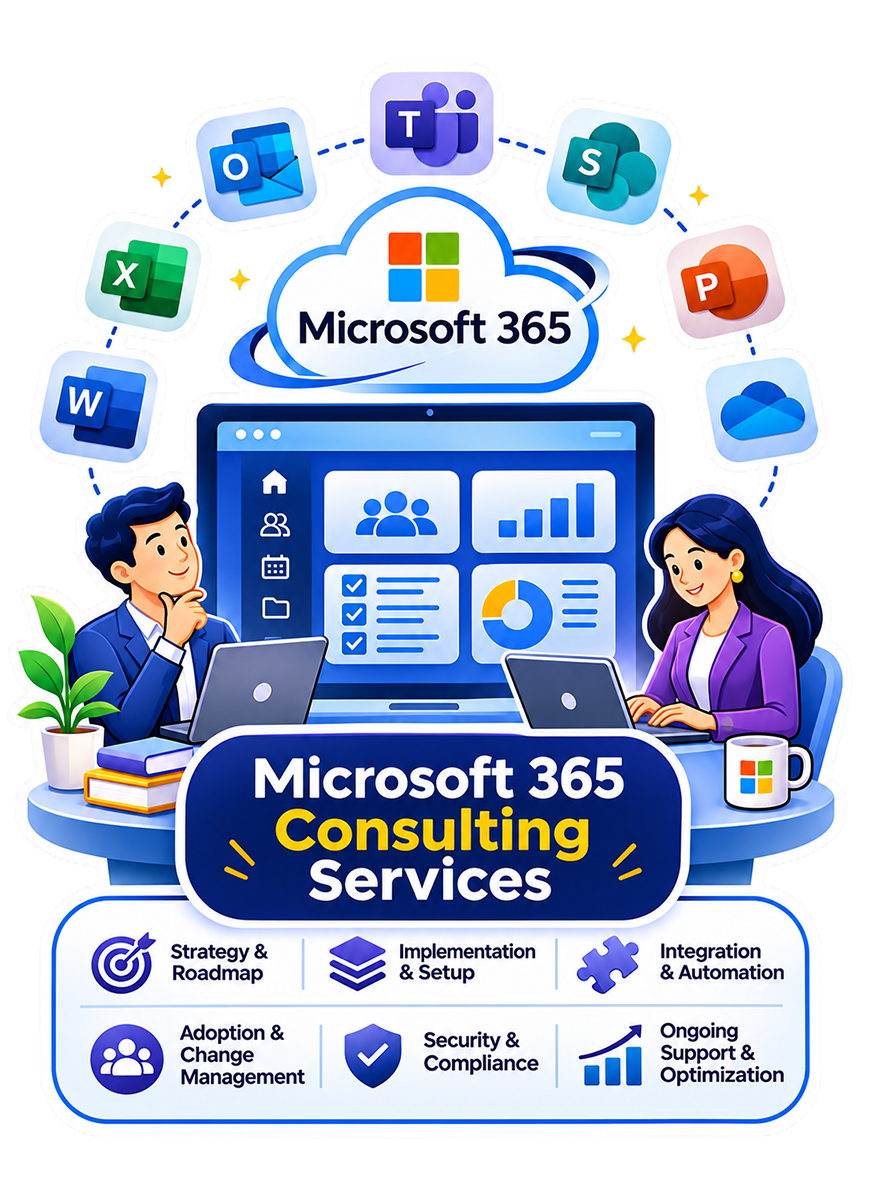
Microsoft 365 Consulting Services

Make your tenant, licenses, and security
settings match how your teams work.

Your Microsoft 365 bill is predictable. Its business value should be just as clear. Unused licenses, scattered files, and manual work can erode that value. Our Microsoft 365 consulting services help you address those gaps.

Ansi ByteCode LLP turns that assessment into practical improvements. We plan configuration, migration, security, and adoption, supported by Microsoft Solutions Partner designations in Data & AI, Digital & App Innovation (Azure), and Infrastructure (Azure).
+
Years in AI & Software Development
+
AI & Software Projects Delivered
+
Certified AI & Technology Experts
%
Client Retention Rate

Where Microsoft 365 Falls Short Without a Strategy

The problem rarely starts with license count. It appears when apps, permissions, workspaces, and security settings develop separately from business ownership and governance.


Licensed Capability vs. Actual Use

Microsoft 365 licenses include capabilities teams never configure or adopt. Teams, SharePoint, and licensed Purview or Copilot features may remain underused, leaving organizations paying for functionality that does not support daily work.

Teams and SharePoint Without Governance

New workspaces accumulate quickly when naming, ownership, retention, and lifecycle rules are undefined. Duplicate sites and abandoned channels make information harder to find, while unclear ownership leaves content without regular review.

Security Left at Default

Platform defaults cannot reflect every organization’s users, data, and regulatory obligations. Without tailored Conditional Access, multi-factor authentication, data loss prevention, and retention policies, security controls may leave gaps or unnecessarily interrupt legitimate work.

Our Microsoft 365 Consulting Services

Once tenant gaps are clear, the next decision is what should change first. Our Microsoft 365 consultants arrange work around users, data, security policies, dependencies, and business continuity.

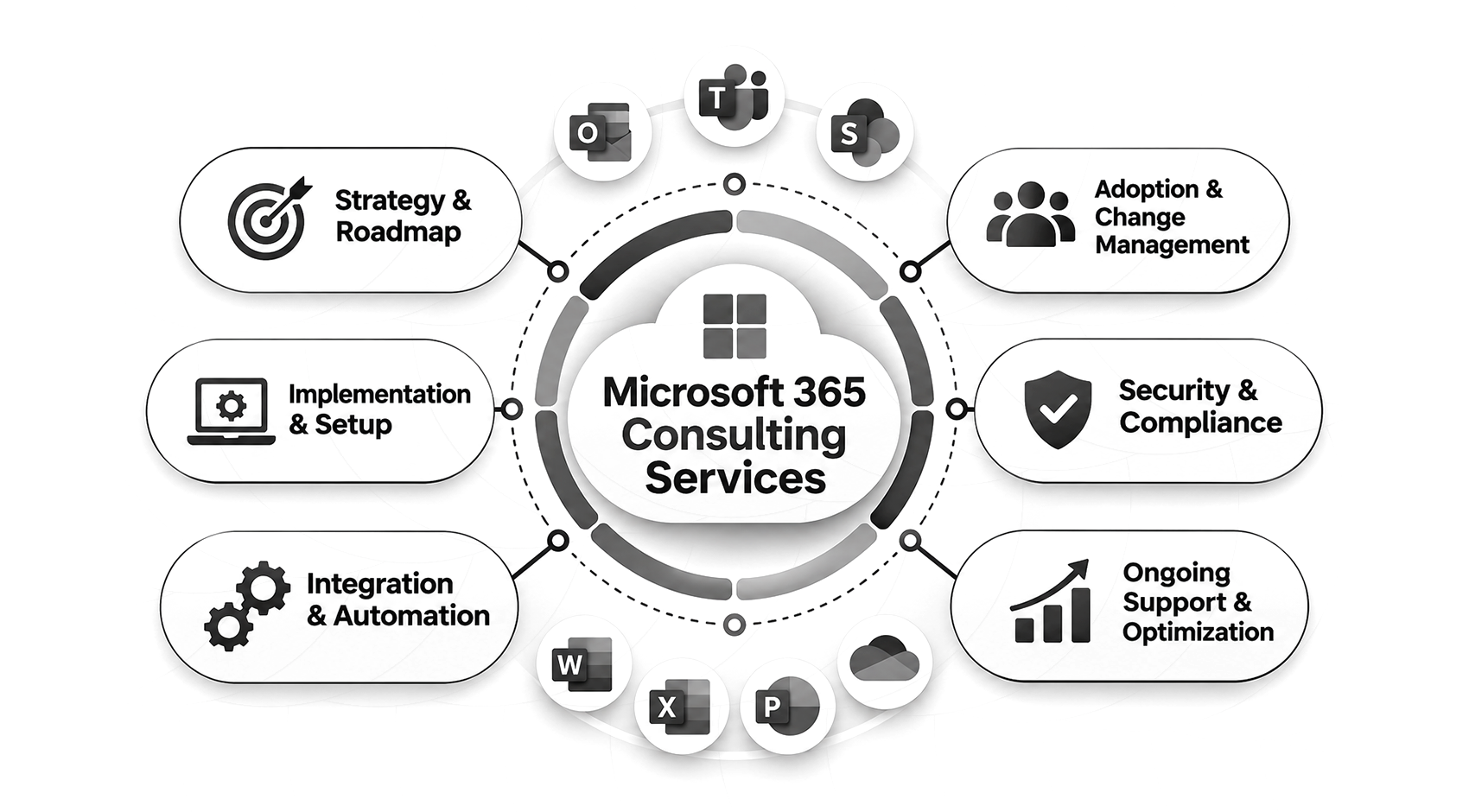
Microsoft 365 Strategy and Roadmapping

Licensing, workflows, security, and adoption affect one another. We assess current use, identify configuration gaps and compliance needs, and rank work by operational impact. The roadmap defines what to configure first, which licenses support the plan, and what can wait.

Migration and Deployment

We migrate mailboxes, files, and workloads into Microsoft 365. Planning covers identity, legacy dependencies, and continued user access. Engineers test a pilot migration before wider rollout. Data checks, temporary coexistence, and recovery planning help protect information and reduce disruption during the transition.

Teams and SharePoint Governance

Workspace growth needs rules that remain useful after rollout. We define naming, site structures, ownership, retention, review dates, and lifecycle controls. Administrators then have a documented model for creating, reviewing, archiving, and restoring collaboration spaces as teams and departments expand.

Security and Compliance Configuration

Security controls must protect access without interrupting normal work. Engineers map identity, data, and compliance requirements before configuring Conditional Access, multi-factor authentication, Microsoft Purview, and data loss prevention. Higher-impact policies can be tested using agreed pilot user groups before broader enforcement.

Microsoft Copilot Enablement and Adoption

Copilot results depend on the content and permissions users can already reach. We review oversharing, access boundaries, and role requirements, then introduce Copilot where Teams, Outlook, Word, and other apps can reduce repeatable work. Role-specific training and usage reviews support ongoing adoption.

Licensing Optimization

We review E3, E5, and add-on licenses against actual usage. The assessment covers planned controls, Copilot needs, and headcount changes. Before renewal, we recommend which licenses to retain, change, or reallocate so spending reflects business needs rather than past purchasing decisions.

Power Platform Integration

Requests, approvals, data entry, and reporting often cross Microsoft 365 and other business systems. We connect Power Apps, Power Automate, and Power BI while defining environment policies, connector controls, ownership, and data loss prevention rules to keep workflows manageable after deployment.

Custom Microsoft 365 Development

Out-of-the-box Microsoft 365 does not cover every workflow. Our engineers build Teams apps, SharePoint Framework components, and Microsoft Graph integrations when configuration is insufficient. Code follows client repositories and release processes, with documentation and handover so internal teams can maintain enhancements.

Managed Support and Optimization

Tenant settings can drift as users, apps, and Microsoft services change. After launch, we run agreed health checks, licensing reviews, and configuration checks. We assess new features against your existing setup. Your administrators help prioritize support needs and changes as business requirements evolve.

Simplify Work With Microsoft 365

Align your Microsoft 365 environment with your business priorities and long-term goals.

Industries We Serve

Microsoft 365 must reflect how each industry handles access, records, collaboration, and oversight. Our Microsoft 365 and Office 365 consulting work adapts configuration to those operating requirements.

Healthcare

Teams and SharePoint can support clinical and administrative workflows when access and retention match health information policies. We configure permissions, audit settings, and records controls around HIPAA-related requirements.

Finance and Banking

Financial teams need traceable access, retention, and audit activity around regulated information. We configure Microsoft 365 controls around internal audit procedures, examiner requests, and role-based access requirements.

Insurance

Claims, underwriting, and policy teams share documents across roles with different access needs. We structure collaboration spaces, retention, ownership, and permissions so files remain traceable as cases move between teams.

Manufacturing

Plant, quality, engineering, and operations teams need current procedures without losing controlled records. We organize SharePoint and Teams with metadata, search, and lifecycle rules so employees can find current SOPs.

Retail and Ecommerce

We organize Microsoft 365 collaboration for store, warehouse, merchandising, and service teams. Power Platform workflows route requests and approvals across locations, with clear document ownership.

Logistics and Supply Chain

Procurement, planning, dispatch, and warehouse teams depend on shared shipment information. We configure collaboration spaces and workflows so documents, updates, and approvals move between distributed teams with clearer ownership.

Legal and Professional Services

Client-sensitive documents need controlled access as matters and teams change. We configure document permissions, retention policies, and audit controls so access follows each client engagement.

Microsoft 365 Solutions for Every Business Need

Departments need accessible files, faster approvals, and reliable remote access. Our solutions connect these needs to the tenant-level work behind effective Microsoft 365 environments.

Hybrid and Remote Work Enablement

Employees need consistent access across office, home, and mobile environments. We align identity, device access, Teams, SharePoint, and OneDrive settings so location changes do not create separate ways of working.

Secure Collaboration and File Sharing

Sharing becomes difficult to control when permissions and labels vary between sites. We configure sharing settings, sensitivity labels, and access rules around user roles so administrators can control information movement.

Copilot-Powered Productivity

Copilot works best when users can access relevant content. We prepare the tenant and select role-specific use cases where summarization, drafting, or information retrieval removes repeatable work.

Compliance-Ready Governance

We configure retention, access, audit, and eDiscovery controls around applicable HIPAA requirements and SOC 2 control objectives. Documented ownership and reviews support ongoing governance.

Legacy Platform Migration

Moving from Google Workspace, on-premises Exchange, or file servers requires careful planning. Engineers map identities, permissions, mail flow, and dependencies before staged migration, then reconcile data before retiring source systems.

Centralized Knowledge Management

Employees lose time when policies and documents are spread across sites and file shares. We structure SharePoint metadata, permissions, and search so users can find the current approved version.

Process We Follow for Microsoft 365 Consulting

Plans made without understanding the tenant often create rework. Our M365 consulting services use defined checkpoints so licensing, security, migration, governance, and adoption decisions reflect the environment before production changes begin.

Step 1: Discovery and Environment Assessment

Engineers review current licensing, tenant configuration, identity, security policies, and actual use across Teams, SharePoint, and OneDrive. We document access requirements, compliance obligations, ownership, and system dependencies before recommending changes.

Step 2: Roadmap and Licensing Strategy

Assessment findings become a prioritized plan for configuration, migration, governance, and adoption. We sequence dependencies and map licensing to planned workloads so stakeholders know what happens first and what can wait.

Step 3: Migration and Deployment

We start with a pilot group and review the results. Once issues are resolved, migration proceeds in agreed waves. Each wave includes user communications, data validation, and access checks before the next group moves.

Step 4: Security and Governance Setup

Security foundations are established before migration, with further controls introduced in stages. Identity, data protection, retention, and workspace policies are validated against requirements, while ownership and lifecycle rules are documented for administrators.

Step 5: Copilot and Adoption Enablement

Copilot readiness starts with permissions, content quality, and suitable use cases. We scope deployment by role, prepare training, identify internal champions, and review usage after rollout to see where adoption needs further support.

Step 6: Ongoing Optimization and Support

Your team needs a clear support process post-launch. We can provide health checks, license reviews, configuration support, and new-feature assessment, while documentation and knowledge transfer help internal administrators assume more ownership.

Industry Recognition

Why Choose Ansi ByteCode LLP As Your Microsoft 365 Consulting Partner

Microsoft 365 touches identity, data, collaboration, security policies, and daily employee workflows. Businesses therefore need a team that can manage dependencies, document decisions, and leave the environment operable after rollout.

Microsoft Solutions Partner

Our Microsoft Solutions Partner designations recognize capabilities in Azure data, application development, and infrastructure. That technical breadth supports Microsoft 365 integration and customization work.

Security Configured, Not Assumed

Conditional access, multi-factor authentication, and data loss prevention are mapped to users, data, and risk requirements. Engineers test higher-impact policies before enforcement to reduce the chance of blocking legitimate work.

Adoption Measured, Not Assumed

Usage reporting shows which apps, workspaces, and Copilot capabilities employees actually use after deployment. That evidence helps administrators decide where training, configuration changes, or license adjustments are still needed.

Data Engineering Depth Behind the Rollout

Microsoft 365 rarely operates in isolation from business data. Our engineers work across APIs, Azure services, reporting, and line-of-business integrations when collaboration or automation needs information outside the tenant.

Ownership From Strategy Through Support

One accountable team manages assessment, migration, governance, security configuration, and post-launch support. Internal administrators receive documentation and knowledge transfer, with clear responsibilities throughout delivery and ongoing operations.

12+ Years of Enterprise Delivery

Ansi ByteCode LLP has delivered enterprise software since 2014 and completed 250+ projects. That experience informs integration, deployment, testing, documentation, and operational handover decisions.

Built for US Enterprise Compliance Needs

US organizations may need Microsoft 365 controls for HIPAA-related requirements, SOC 2 controls, records policies, or sector obligations. We configure access, retention, audit, and data protection around client-defined requirements.

Microsoft 365 Technology Stack

Technology choices follow the tenant requirement, integration need, and operating model. These are the Microsoft platforms and services our consultants use when they fit the work.

GPT (OpenAI)

Claude

Gemini

Llama

Mistral

DeepSeek

Cohere Command

Qwen

LangChain

LangGraph

LlamaIndex

CrewAI

AutoGen

Semantic Kernel

OpenAI Agents SDK

DSPy

Microsoft Copilot Studio

LlamaIndex

LangChain

Haystack

Unstructured

Apache Tika

Pinecone

Weaviate

Milvus

Chroma

Qdrant

FAISS

Redis Vector

Elasticsearch

DALL·E

Stable Diffusion

Whisper

ElevenLabs

Azure AI Speech

Google Vertex AI Vision

CLIP

Python

TypeScript

JavaScript

C# Logo

C#

Java

Go

vLLM

Ollama

NVIDIA Triton Inference Server

TensorRT-LLM

Ray Serve

BentoML

Azure AI Foundry

LangSmith

Langfuse

Arize AI

TruLens

Guardrails AI

NVIDIA NeMo Guardrails

OpenTelemetry

Docker

Kubernetes

Helm

Terraform

GitHub Actions

Case Studies

See how we’ve helped businesses across industries solve real challenges with AI, from strategy and integration to full-scale deployment and measurable results.

What our Clients say About us

Don't just take our word for it. Here's what businesses across the US say about working with Ansi ByteCode LLP as their AI consulting partner.

FAQs About Microsoft 365 Consulting Services

Evaluations raise similar questions across organizations because they involve operational decisions. The answers below stay practical and reflect how engagements usually proceed.

Consulting covers planning, deployment, security configuration, governance, and adoption for your Microsoft 365 tenant. A typical engagement includes a licensing review, migration planning, identity and access setup, retention policies, Copilot readiness checks, and ongoing optimization after go-live.

Microsoft 365 helps teams manage fewer separate tools, find current files faster, and access the same content across devices. Access and sharing policies match your risk profile, while Power Platform flows remove recurring manual handoffs such as approvals, requests, and status updates.

Small tenant-to-tenant migrations may take 4-8 weeks, with more complex projects possibly taking 6-16 weeks or longer. Data volume, identity dependencies, and workload scope affect timing. We confirm the schedule after assessing your environment and migration requirements.

Migration plans define least-privilege access, encrypted transfer, and activity logging. Data is checked against the source after each batch, with source systems retained until validation is complete. Temporary access is reviewed and removed when no longer needed.

Engagements cover strategy and roadmapping, migration and deployment, Teams and SharePoint governance, security and compliance configuration, and Copilot enablement. They also include licensing optimization, Power Platform integration, custom development, and managed support after go-live.

A consultant can supplement your internal team with migration, governance, security, and adoption expertise. This helps when administrators lack project capacity or specialist experience. Documentation and knowledge transfer support internal ownership after the engagement ends.

Our Blogs

Explore our latest insights, guides, and expert perspectives on AI. This will help you stay informed and make smarter business decisions.

What Is Predictive Maintenance? How It Works and Why It Matters

Critical equipment doesn’t fail on schedule. A motor overheats without warning.

Agentic AI vs Generative AI: Which One Is Right Fit for You?

If you’ve been comparing Agentic AI vs Generative AI, you’re probably wondering which one can actually make a bigger difference to your business

Let’s build your dream together.